

Most AI before-and-after images are exciting for about 30 seconds. Then the questions start: Can that island actually fit? Is that tile practical in a wet bathroom? Why does every room look like it belongs to a different house? The real value of AI home renovation design ideas is not that they magically produce a finished remodel. It is that they help homeowners get unstuck, compare directions quickly, and create a clearer visual starting point before spending real money.
For first-time renovators, that matters a lot. Decision fatigue usually shows up long before demolition starts. You may know you want a brighter kitchen, a less dated bathroom, or a living room that feels more cohesive, but not know how to explain that to a partner, designer, or contractor. AI can bridge that gap by turning your own room photos into possible directions. The catch is that AI images are not plans, and they are only as useful as the photo inputs, prompt constraints, and review process behind them.
This guide walks through a practical workflow: how to capture better room photos, how to write prompts that produce believable visuals, how to judge whether outputs are buildable, and how to turn your favorite images into a renovation brief someone can actually quote. If you want AI remodeling ideas that are inspiring without becoming expensive distractions, this is the approach.
Why homeowners use AI for renovation ideas
Homeowners usually turn to AI at three specific moments. The first is style confusion. You may be torn between warm transitional, clean contemporary, classic white oak, or something softer and more traditional. AI can show those directions in your actual room instead of a perfectly styled showroom that has different proportions, better light, and none of your constraints. That alone makes it easier to decide what feels right.
The second use case is speed. Instead of spending hours scrolling inspiration photos, you can test multiple looks from one room photo: lighter floors, darker cabinetry, different tile patterns, painted trim, built-ins, or alternate lighting. This is where AI interior renovation ideas are especially helpful. They let you compare options side by side without committing to any one of them too early.
The third use case is pre-budget visualization. Before you ask for estimates, it helps to know whether you are picturing a cosmetic update or a layout change. AI renovation visualization can make the difference obvious. A kitchen refresh with new fronts, counters, backsplash, and pendants is a very different project from removing walls, moving plumbing, and adding structural beams. Seeing those scenarios helps you avoid pricing the wrong project.
A simple rule keeps expectations realistic: AI is best at finishes, mood, color relationships, and concept communication; it is worst at exact dimensions, structural logic, and code-sensitive details. Treat outputs as inspiration and alignment tools, not construction documents. If you are working through awkward levels or circulation issues, articles like Split-Level House Interior Ideas can also help you think through flow problems before you generate visuals.
How to generate useful AI home renovation design ideas
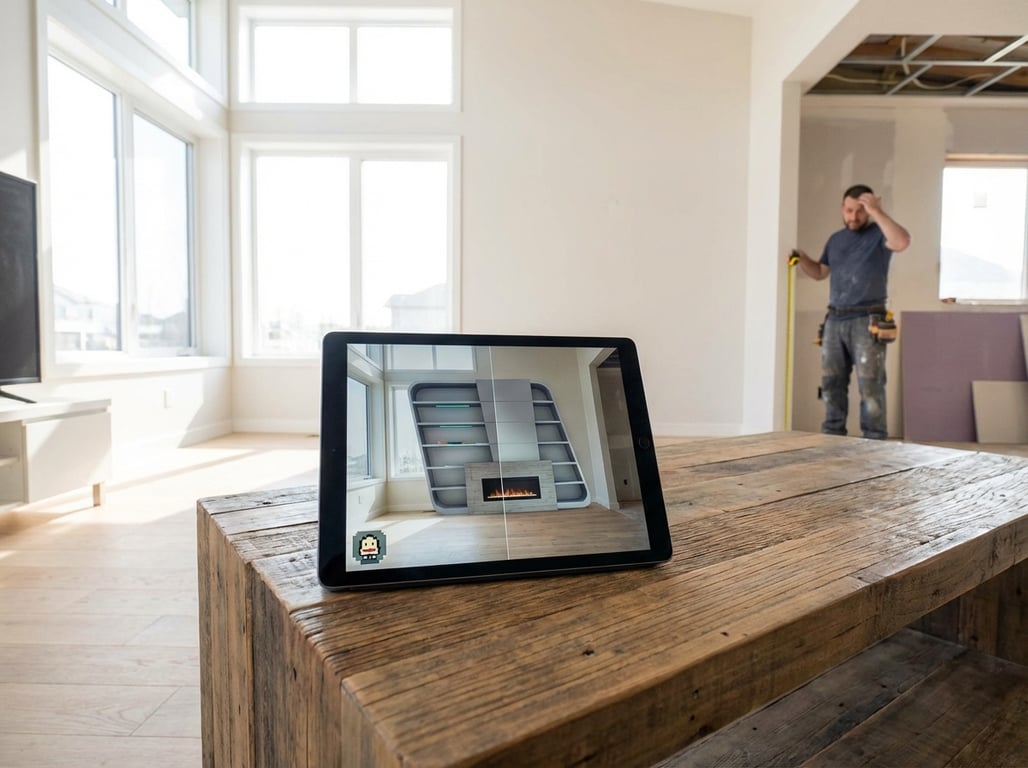
Better outputs start with better room photos. The most useful photo is usually shot straight-on at about eye level, wide enough to show the room but not so wide that lines bend dramatically. Try to capture as many corners as possible so the model has real spatial context. If you shoot from a doorway, keep the phone level and avoid extreme lens distortion. Inconsistent angles make AI more likely to invent proportions, stretch cabinetry, or misread where doors and windows sit.
Prepping the room matters more than most people expect. Remove clutter, countertop appliances, laundry piles, visible cords, and anything temporary that distracts from the architecture. Turn on lights, open blinds if daylight is even, and avoid mixed lighting conditions that create strange color casts. In bathrooms, close the toilet lid and clear vanity surfaces. If privacy is a concern, blur family photos, paperwork, screens, addresses, or anything personal before uploading. AI tools often perform better on cleaner images, and you will get concepts that focus on the room rather than the mess.
The prompt itself should do more than name a style. A useful formula is: room + current conditions + keep/fix list + style references + budget level + functional constraints + must-not-change items. That last part is what separates attractive images from usable ones. A kitchen prompt that says “bright modern kitchen” invites fantasy. A kitchen prompt that says “use this exact layout, keep window and door locations, no moving plumbing, standard 24-inch base cabinets, maintain 36-inch walkway, medium budget, warm white oak and soft white palette” is far more likely to generate something you can discuss seriously.
When you want better AI room remodel ideas, change one variable at a time. First test layout-safe finish changes. Then test lighting. Then test storage details. If you ask AI to reinvent the layout, materials, furniture, architecture, and color palette all at once, it becomes hard to tell what you actually like. A disciplined sequence produces clearer decisions.
A practical prompt structure might look like this:
- Room and dimensions: “Primary bathroom, approximately 8x10 feet, 9-foot ceiling”
- Constraints: “Keep plumbing locations, keep window size and placement, no expansion”
- Desired changes: “Replace vanity, flooring, mirror, lighting, shower tile, paint”
- Style and budget: “Warm transitional, mid-range budget, realistic materials”
- Functional notes: “Add better storage, layered lighting, easy-to-clean finishes”
If you are exploring circulation issues or split-level transitions, Split Level House Interior: Layout Challenges is a useful companion because it highlights the kinds of layout realities AI often glosses over.

Room-by-room AI home renovation ideas
In kitchens, the safest use of AI is usually to test upgrades that respect the existing footprint. That means cabinet fronts, hardware, counters, backsplash, flooring, wall color, pendants, under-cabinet lighting, and the visual balance between upper cabinets and open space. You can also ask AI to compare a peninsula versus an island, but only if you include approximate room size and walkway requirements. Otherwise, the model may insert an island that looks great in a rendering and fails in real life. Good AI house remodel design for kitchens starts with realism about aisle widths, appliance clearances, and whether plumbing or venting will stay put.
Here are sample kitchen prompts you can adapt:
- “Use this exact kitchen layout and window locations. Keep sink and range in current positions. Show a medium-budget renovation with painted shaker cabinets, quartz counters, handmade-look backsplash tile, white oak accents, layered lighting, and 36-inch walkways maintained.”
- “Generate two realistic versions of this kitchen photo: one with a peninsula and one with no peninsula. Do not enlarge the room. Keep appliance wall and plumbing locations unchanged. Focus on layout-safe improvements only.”
- “Create a warm contemporary kitchen renovation from this photo with standard-size cabinets, practical storage, stain-resistant quartz, matte black and brass mix, and lighting that suits average ceiling height.”
Bathrooms benefit from even tighter constraints because plumbing, waterproofing, storage, ventilation, and lighting are unforgiving. AI remodeling ideas for bathrooms are most useful when they compare tile direction, vanity configuration, mirror scale, sconces versus overhead light, niche placement, and shower glass styles. Ask the model to keep toilet, tub, shower, and drain locations where they are unless you truly plan a full gut renovation. Also be explicit about slip resistance, easy maintenance, and whether the room lacks natural light. AI tends to underplay the importance of vent fans, practical storage, and realistic clearances around doors and shower glass.
A strong bathroom prompt might say: “Use this exact bathroom layout. Keep plumbing locations fixed. Show a realistic renovation with a 60-inch vanity with drawers, large-format porcelain tile, slip-resistant floor tile, proper mirror lighting, concealed storage, good ventilation, and a buildable shower glass layout.”
Living rooms and bedrooms are where AI interior renovation ideas can be both fun and surprisingly useful, especially for continuity. These spaces often need less structural work and more coordination: flooring that connects to adjacent rooms, a paint plan that works in changing daylight, better window treatments, layered lighting, built-ins, and furniture scale that matches the room. In bedrooms, you can test wall treatments, bedside lighting, storage walls, and calmer palettes. In living areas, ask for multiple styles from the same layout so you can compare mood without changing architecture.
For these rooms, it helps to specify what must remain visually consistent across the home. If you are updating several spaces, tell the AI to carry through the same flooring tone, trim color, metal finish family, and general palette. That is one of the easiest ways to prevent the classic problem where every generated room looks individually attractive but collectively disconnected.
How to evaluate AI-generated renovation visuals
The most important review step is separating inspiration from instructions. You can usually trust AI images to suggest a palette, a mood, a cabinet color direction, or a general combination of finishes. You should not trust them to confirm clearances, beam feasibility, cabinet depths, outlet locations, waterproofing details, or whether a window can be enlarged. If the image implies a structural change, a custom build, or a relocated plumbing line, flag it immediately for professional review rather than treating it as a priced assumption.
Start with layout practicality. In kitchens, check aisle widths, door swings, fridge clearance, dishwasher access, and whether stools block circulation. In bathrooms, check toilet spacing, vanity drawer interference, shower entry clearance, and whether swing doors conflict. In bedrooms and living rooms, check whether furniture scale is believable and whether new built-ins create awkward pinch points. These are the areas where AI room remodel ideas often become visually convincing but physically wrong.
Next, do a materials reality check. A gorgeous marble look may be too high maintenance for a busy family kitchen. Open wood shelving near a range may not match your cleaning habits. In bathrooms, verify slip resistance underfoot, grout maintenance, and whether wall finishes are suitable for moisture exposure. In kitchens, think about stain resistance, heat tolerance, and edge durability. AI may pair lovely materials that do not belong together from a wear-and-tear standpoint.
Lighting deserves its own review because AI frequently cheats here. Ask whether the room’s natural light direction supports the mood you are seeing. A bright, shadowless rendering may not reflect a north-facing room at all. Check fixture type as well: recessed lighting, sconces, pendants, task lighting, and under-cabinet lighting all do different jobs. Also look for color temperature consistency. Mixed warm and cool lighting can make a finished space feel off even when the materials are good.
One useful filtering method is to score each concept on three axes: visual appeal, practical buildability, and budget fit. A concept that scores high on beauty but low on buildability is inspiration only. A concept that scores moderately on all three is often the better renovation candidate. This is where AI renovation visualization becomes valuable rather than misleading: it helps you narrow options with discipline instead of chasing the flashiest image.
Turning AI ideas into an actionable renovation brief
The fastest way to move from inspiration to action is to shortlist just three concepts per room. More than that usually increases confusion. Once you have three, stop comparing tiny differences and extract the common denominators. Maybe all the winning kitchens use warmer wood, simpler cabinet fronts, lighter counters, and softer wall color. Maybe all the bathrooms you prefer have larger mirrors, more drawer storage, and fewer grout lines. Those repeated patterns are your real design direction.
From there, create a simple finish schedule. It does not need to be fancy. List the likely paint color family, flooring type, cabinet color, hardware finish, tile direction, countertop material, plumbing fixture finish, and key lighting ideas. If exact products are unknown, note “matte porcelain 12x24 warm gray floor tile” or “white oak-look engineered flooring, medium natural tone” rather than leaving it vague. This is what turns AI house remodel design from a mood board into something quote-ready.
Then add the non-negotiables that AI often ignores: budget range, desired start timing, whether you are doing any DIY, what elements must stay, and where you refuse scope creep. If you want to keep the current windows, avoid moving plumbing, and stay under a mid-range budget, write that down. If you need storage more than visual drama, say so. Contractors and designers can work with constraints. They struggle when all they receive is a beautiful image that hides what matters most.
A useful renovation brief can fit on one or two pages if it includes:
- Three annotated AI concept images per room
- A bullet list of must-haves, nice-to-haves, and must-keep items
- Approximate measurements and ceiling height if known
- A basic finish schedule and links to comparable real products
That package gives a professional something concrete to react to. Instead of asking, “What do you want?” they can ask better questions: whether the quartz edge detail matters, whether the shower niche is essential, whether a semi-custom vanity is enough, or whether the island concept should become a peninsula due to clearance.
Common pitfalls when using AI for remodel inspiration
The biggest trap is believing a polished image equals a feasible design. AI loves oversized islands, dramatic windows, floating vanities with impossible support, and architectural changes that ignore structure. It may also smooth away awkward bulkheads, vents, soffits, radiators, or ceiling changes that are very real in your house. If a feature seems too elegant for the room’s actual proportions, it probably is.
The second trap is style drift. This happens when you generate each room independently with different prompts, references, and moods. The kitchen becomes warm organic modern, the bathroom becomes moody hotel luxury, and the bedroom becomes cottage-soft. None of those are wrong alone, but together they can feel disjointed. A simple fix is a style lock line in every prompt: “Use the same home-wide palette of warm whites, muted taupe, natural oak, black accents, and quiet transitional detailing.” You can also keep a reference palette image or short brand-of-home description and reuse it every time.
The third trap is ignoring installation and cost realities. AI often suggests custom millwork, slab backsplashes, niche imported tiles, oversized glass, or relocated plumbing without showing the labor implications. Before you get attached, ask: Is this off-the-shelf, semi-custom, or fully custom? Does it require specialty trades? Does it extend the timeline? Is it realistic for the level of renovation I actually want? Those questions save a lot of emotional rework.
Finally, protect your privacy. Before uploading room photos, remove or blur anything sensitive: family photos, framed certificates, addresses, school paperwork, financial documents, medication labels, and visible screens. Convenience should not mean oversharing your household details.
FAQ
How do I use AI to get home renovation design ideas?
Start with your own room photo, taken straight-on at eye level with the space cleaned and well lit. Then write a prompt that includes the room type, approximate dimensions, what must stay, what can change, your style direction, your budget level, and any functional constraints such as keeping plumbing or maintaining walkway clearance. Generate several versions, but change only one major variable at a time so you can tell what you actually prefer.
Can AI create realistic room remodel concepts?
Yes, especially for finishes, color palettes, cabinet styles, lighting mood, and general design direction. It is much less reliable for exact dimensions, structural changes, code issues, and clearance-sensitive layouts. Think of AI as a concept generator and communication aid, not a replacement for site measurements or professional plans.
What rooms work best for AI renovation visualization?
Kitchens, bathrooms, living rooms, and bedrooms are all strong candidates, but the easiest wins usually come from rooms where you are testing finish changes more than structural changes. Living rooms and bedrooms are often most forgiving. Kitchens and bathrooms can still benefit a lot from AI renovation visualization, but they require better prompts and stricter practical review because plumbing, clearances, and storage matter so much.
Are AI-generated renovation ideas actually buildable?
Some are, some are not. A buildable concept usually respects your existing layout, uses believable material transitions, and does not depend on impossible dimensions or hidden structural changes. Always verify measurements, plumbing moves, electrical changes, and code-related details with a contractor, designer, or architect before pricing or building.
How can I share AI design ideas with a contractor?
Send a short package, not a random gallery dump. Include your top three AI images for the room, notes on what you like in each one, approximate measurements, a basic finish list, your budget range, and any must-keep constraints. If you need help comparing platforms for this kind of workflow, see Best Interior Design Apps 2026: Top Picks for AI, Staging, and Layouts. And if your renovation ideas are partly motivated by a future sale, How to Stage Your House to Sell (2026): Room-by-Room Checklist + When Virtual Staging Works Better can help you distinguish personal upgrades from market-facing improvements.
AI works best when you use it as a disciplined design assistant, not an oracle. The right photo, the right prompt, and the right review process can turn vague hopes into clear renovation direction. That is the real promise of AI home renovation design ideas: not perfect images, but better decisions.