


If you are still early in the research phase, AI home renovation should be thought of as a planning assistant, not a magic remodel button. It can help you turn scattered inspiration into clearer concepts, compare design directions, create a room-by-room scope, and build a more organized brief before you ever call a contractor. Used well, it saves time and reduces decision fatigue. Used poorly, it creates beautiful but unrealistic images that hide cost, code, and construction problems.
That distinction matters because most homeowners do not need perfect plans on day one. They need a practical way to move from “I think we want to update the kitchen” to “here are two workable options, our budget range, our must-keep constraints, and the questions we need to ask.” That is where home renovation AI is genuinely useful. It accelerates ideation, documentation, and comparison, but it does not replace licensed design, engineering, or trade expertise.
In this guide, you will learn how to use AI for home remodeling in a realistic workflow: gather photos and measurements, generate a few concept directions, narrow choices, sanity-check costs, and hand contractors a cleaner project brief. The goal is fewer surprises, fewer change orders caused by fuzzy decisions, and more confidence in the trade-offs you are making.
What AI home renovation means today
At a practical level, AI home renovation means using a mix of image tools, chat-based assistants, visualization apps, and planning software to support early renovation decisions. The outputs are usually not permit-ready drawings. Instead, they are working materials: moodboards, style prompts, finish alternatives, rough layout concepts, shopping lists, comparison tables, scope summaries, and budget ballparks. For a DIY-leaning homeowner, that is often enough to clarify direction before money gets spent on design revisions or contractor walkthroughs.
How AI is used in renovation planning depends on the stage you are in. Early on, it can turn a folder of saved images into a style brief with recurring themes like “warm oak,” “matte black hardware,” “brighter task lighting,” or “closed storage over open shelving.” Once you know what you like, it can generate options within constraints: keep the plumbing where it is, preserve a window, work around a narrow galley kitchen, or improve accessibility for aging in place. It can also summarize priorities into a one-page brief so you are not making every decision from scratch in each conversation.
What AI can and cannot do in a remodel is where people get into trouble. It can iterate quickly, visualize finishes, produce pros-and-cons tables, and draft smart questions for contractors. It cannot reliably confirm dimensions from a single photo, detect what is hidden behind walls, guarantee code compliance, or accurately price local labor. If an image looks too perfect, slow down. Common red flags include impossibly spacious rooms, missing outlets or vents, unrealistic window changes, and dramatic lighting effects that depend on fixtures or ceiling conditions the render never shows.
Who benefits most from AI-assisted renovation? Homeowners in early ideation, people planning on a budget, remote owners trying to organize a project before site visits, and anyone struggling with finish selections or option overload. It is less suitable as a standalone solution for structural changes, additions, major mechanical reroutes, or historic properties where hidden conditions and permitting complexity matter more than pretty concepts. AI-powered home renovation can also be useful for accessibility planning, but any aging-in-place or mobility-related layout should be verified by qualified professionals.

How to use AI for a home renovation project
A good renovation starts with decisions, not software. Before you ask any AI renovation planner for ideas, define what you are actually trying to solve. Is the kitchen too dark? Is the bathroom short on storage? Do you need a family-friendly mudroom more than a magazine-worthy laundry room? Separating must-haves from nice-to-haves gives the system something useful to work with. It also prevents the common mistake of chasing visuals that do not address the original problem.
The most useful prompt is not long because it sounds impressive; it is useful because it is specific. Include your goal, room dimensions, fixed elements, budget band, finish level, style references, and must-keep items. A simple template looks like this in practice: “Help me plan a kitchen renovation for a 12' x 14' room. Keep the sink under the existing window and keep current appliance sizes. Budget is mid-range. We want better storage, more task lighting, and a warmer transitional style with wood tones and easy-clean surfaces. Household has kids and a dog. Give me 3 layout options, each with pros, cons, assumptions, and likely cost drivers.” That single structure usually produces far better results than asking for “modern kitchen ideas.”
It also helps to define finish level up front so suggestions stay consistent. A builder/basic finish might assume stock cabinets, laminate counters, and standard fixtures. Mid-range might mean semi-custom cabinetry, quartz, and better lighting. Premium might include custom millwork, integrated appliances, or designer tile. Without that filter, AI house renovation ideas can drift wildly from affordable to aspirational in the same conversation, which makes budgeting almost impossible.
When you move from inspiration to layouts, ask for only two or three concept paths. More than that tends to create churn rather than clarity. A useful comparison might be “keep plumbing as-is,” “move plumbing slightly for better function,” and “reconfigure more aggressively for long-term value.” Require each option to list assumptions and unknowns. This is critical. If the tool is assuming a wall is non-load-bearing, or that a fridge can shift without affecting circulation, you need to know that before the image becomes emotionally persuasive.
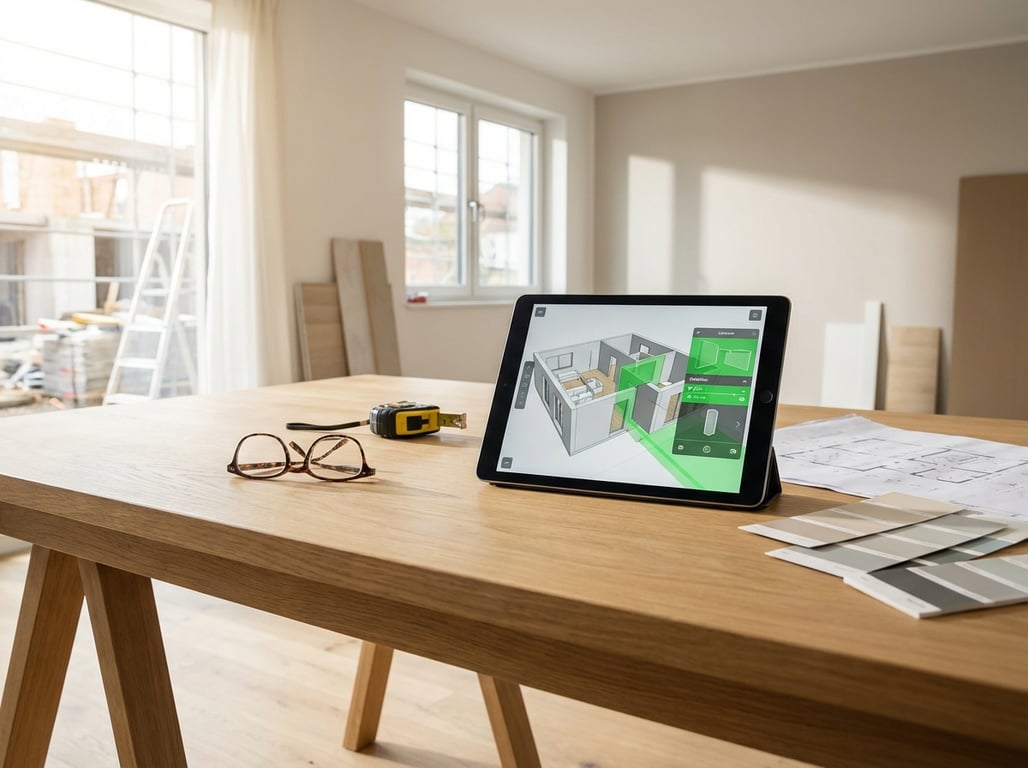
Different tool types serve different jobs. Photo-based visualization is great for testing finishes, cabinet colors, tile looks, and furniture direction. True floor-plan tools are better when layout is the main issue, especially for kitchens, baths, and awkward multi-use spaces. If you are deciding which kind of software fits your project, this breakdown of Best room planner app tools: layout vs listing-ready 3D is a useful companion because it separates fast visuals from planning tools that support actual room configuration.
The best workflow is simple: ideate, narrow, document assumptions, validate feasibility, then refine scope. Create a file structure before you get deep into options. Keep one folder each for current photos, measurements, inspiration, AI outputs, and contractor quotes. Maintain a source-of-truth document that lists decisions and assumptions: ceiling height, appliance sizes, existing plumbing wall, door swings, storage needs, timeline limits, and anything else the AI keeps relying on. Name options clearly—Option A: keep plumbing, Option B: shift peninsula, Option C: remove pantry wall—and freeze your shortlist before requesting bids. Otherwise, every quote will be based on a slightly different project.
AI for renovation budgeting and decision-making
Budgeting is one of the most valuable but most misunderstood uses of AI for home remodeling. AI can help you create a rough cost picture, but it should never be treated as a binding estimate. Think of it as a budgeting assistant that helps define categories, expose missing scope, and show how choices push costs up or down. It is especially helpful before contractor conversations because homeowners often underestimate what they are actually asking for.
A safe method is to use both top-down and bottom-up budgeting. Top-down starts with your maximum comfortable spend and your contingency. Bottom-up builds cost categories such as demolition, rough-in work, cabinets, counters, flooring, tile, fixtures, lighting, paint, permits, and waste removal. Ask the AI to produce low, medium, and high ranges based on your region, room size, finish level, and whether plumbing or electrical is staying in place. Then ask what assumptions would push each category higher or lower. This does not eliminate uncertainty, but it makes uncertainty visible.
The biggest value here is not the final number. It is the line-item checklist. If the AI generates a quote checklist and your contractor’s proposal is missing demolition, waterproofing, under-cabinet lighting, trim repair, permit fees, or contingency language, you have a much better basis for questions. Hidden damage, local labor rates, access issues, and lead times can all change the final price, which is why you should always compare with at least two local references rather than relying on one tool or one bid.
AI is also excellent at comparing materials in a way that blends aesthetics with practical trade-offs. Instead of asking what looks best, ask what performs best for your household. For example, “Compare quartz, granite, and laminate for a busy family kitchen based on cost, durability, stain resistance, maintenance, lead time, and resale appeal.” Or, “Rank LVP, engineered hardwood, and solid hardwood for a dog-friendly home with a moderate budget.” That turns vague taste into a decision framework.
A lot of renovation regret comes from trade-offs that were never made explicit. Moving plumbing may improve function but increase risk and cost. Custom cabinetry can solve storage beautifully but affect lead times and budget. Tile patterns that look simple in a render may carry much higher installation costs in real life. AI can help surface these issues early by generating contractor questions such as, “What is the risk of relocating the drain line?” or “Would larger format tile reduce grout maintenance but increase substrate prep costs?” The decision rule is straightforward: lock the scope before you get lost in finish shopping.
If you are comparing specialized planners and visualization platforms, Roomstyler 3D Home Planner: What It's Best For can help you understand where some tools support exploration well and where they become less efficient for practical decision-making.
Best use cases for AI in home remodeling
Kitchens are probably the strongest use case for home renovation AI because there are so many interacting decisions: layout, appliance sizing, circulation, storage, lighting, and finishes. AI is useful here when you ask it to work from functional constraints rather than style alone. A strong kitchen prompt includes appliance dimensions, window locations, sink position, whether you are keeping gas or electric service, pantry needs, and how many people cook at once. Ask for options that explain trade-offs in work triangle efficiency, landing space, drawer storage, and lighting layers rather than simply “open concept kitchen ideas.”
Bathrooms are another strong fit, especially for visualization and scope organization. The room is small enough that a few changes make a big difference, but technical constraints matter. Wet-zone logic, ventilation, waterproofing, fixture compatibility, and door clearance can make an attractive concept fail in practice. AI can help compare vanity sizes, shower-vs-tub options, tile directions, and storage improvements, but it should also be asked to identify missing information: drain location, joist direction, fan vent route, shower pan dimensions, and fixture rough-in compatibility.
For whole-home renovation concepting, AI becomes valuable as a consistency tool. Instead of redesigning each room independently, use it to create a style system: materials, paint family, hardware direction, flooring transitions, and lighting language that carry throughout the house. It can also help phase the work. If your budget will not support a full remodel at once, ask for a priority matrix based on urgency, disruption, and return on daily use. That is often more realistic than asking for one giant makeover plan.
Common mistakes and limitations
The most common mistake in AI-powered home renovation is trusting the image more than the assumptions behind it. Visuals can mislead on scale, texture, and lighting. A room may appear wider because the camera angle is impossible in real life. Cabinet proportions may ignore standard sizes. Tile repetition may hide the actual visual busyness of a pattern. A render may imply abundant daylight without accounting for neighboring buildings, roof overhangs, or the fact that your existing window is much smaller than the one shown.
Measurements and code are still human territory. No matter how confident a tool sounds, it cannot replace site verification, product specification review, permitting review, or professional sign-off for structural, electrical, plumbing, and HVAC changes. This is especially true if you are removing walls, moving wet areas, changing windows, or altering ventilation. AI does not see hidden framing conflicts, aging pipes, undersized electrical service, or the conditions inside your floor assembly.
A practical verification checklist goes a long way. Before spending meaningful money, ask the AI what measurements and missing information it needs to make the concept more reliable. Then measure twice, confirm appliance and fixture specifications, check manufacturer installation guides, and review the concept with the right licensed professional. Bring the AI output as direction, not as final plans. The question is not “Will you build this exactly?” but “What is feasible here, what would you change, and what is missing from this scope?”
This is also where homeowners should be careful about “contractor-ready” language. AI can help you become contractor-ready in the sense that you can show up organized, with clearer goals and fewer contradictory preferences. It does not make you construction-ready in the legal or technical sense. The gap between those two ideas is where expensive misunderstandings happen.
A simple step-by-step AI home renovation process
If you want a repeatable process, keep it lean. Start by collecting current room photos, rough dimensions, and constraints. Include what must stay, what feels broken, what your finish level is, and what your disruption tolerance looks like. If you cannot lose the only working bathroom for weeks or need to keep appliance sizes fixed, say that early.
Next, generate two or three concepts and require assumptions for each one. Do not ask only for inspiration. Ask for pros, cons, cost drivers, risks, and missing information. Then shortlist one direction and turn it into a one-page renovation brief with room-by-room scope bullets. This brief should include goals, must-haves, fixed conditions, finish level, target budget range, and open questions for a contractor.
After that, use AI for budget ranges and contingency planning. Reconcile your top-down maximum with bottom-up categories. If the project is close to the edge of affordability, ask which changes preserve function while reducing cost. Then generate a contractor question list and a bid checklist so each quote is based on the same scope.
Finally, validate feasibility and freeze the scope. That means confirming measurements, reviewing any structural or MEP concerns with licensed pros, checking product specs, and making sure the shortlist still fits timeline and budget realities. Once that is done, you can use the AI outputs as organized project direction rather than as fantasy boards.
FAQ
What is AI home renovation?
AI home renovation is the use of AI-assisted tools to help plan a remodel through idea generation, visualization, scope drafting, budgeting support, and option comparison. It is most useful before construction begins, when you are trying to clarify style, layout priorities, finish choices, and budget trade-offs. It is not a substitute for licensed design, engineering, permitting, or trade work.
Can AI really help plan a home remodel?
Yes, especially in the early planning stage. It can turn inspiration into a clearer brief, generate a few realistic concept directions, compare materials, and help you ask better questions. The biggest benefit is often organization and decision clarity, not perfect design accuracy. That makes contractor conversations faster and more productive.
Is AI accurate enough for renovation budgets?
It is accurate enough for ballpark planning, not for final pricing. AI can outline cost categories, produce low-medium-high ranges, and explain cost drivers, but local labor rates, hidden damage, access conditions, and permit requirements can change the real number significantly. Use it to sanity-check, then compare against local contractor input.
What are the best ways to use AI before hiring a contractor?
Use it to collect and organize your inputs, create two or three concept options, draft a one-page brief, build a line-item quote checklist, and generate contractor questions. That helps you approach bids with a defined scope instead of vague inspiration images. It also reduces the chance that each contractor prices a different project.
What are the limitations of AI in home renovation?
Its main limitations are feasibility and verification. AI cannot see inside walls, confirm structural conditions, ensure code compliance, or guarantee product fit and installation requirements. It can also produce misleading visuals that look polished but ignore standard dimensions, circulation, lighting realities, or hidden construction constraints.
If you want to go deeper on choosing the right kind of design software for planning versus visualization, Computer Software for Home Design and Roomstyler 3D Home Planner: Features, Use Cases, and Limits can help you match the tool to the job. The smartest use of AI is not replacing professionals. It is arriving at the project with clearer priorities, tighter documentation, and fewer avoidable surprises.