


Choosing between home staging virtual (digital furniture added to photos) and traditional, physical home staging can feel like a trade-off between speed, cost, and buyer trust.
If your listing strategy is “win online first,” virtual staging can be the fastest way to show scale and function—especially in vacant rooms. If your strategy is “wow them at the showing,” physical staging can create the emotional impact that photos alone can’t.
This guide compares costs, pros/cons, and best-fit scenarios, plus a 10-minute checklist to decide.
Quick definition: virtual staging vs. physical home staging
Comparison snippet: Virtual staging adds furniture digitally; home staging uses real furniture in the property.
| Factor | Virtual staging | Physical home staging |
|---|---|---|
| What it changes | Listing photos | The actual space (and photos) |
| Timeline | Usually 24–72 hours after photos | Days to weeks (planning + install) |
| Main cost drivers | Rooms, revisions, style complexity | Rental period, package size, labor, delivery/storage |
| Best for | Online-first marketing, vacant rooms, budget control | High-touch showings, luxury, complex layouts |
| Main risks | Disclosure/compliance, realism mismatch | Logistics, damage risk, ongoing rental fees |
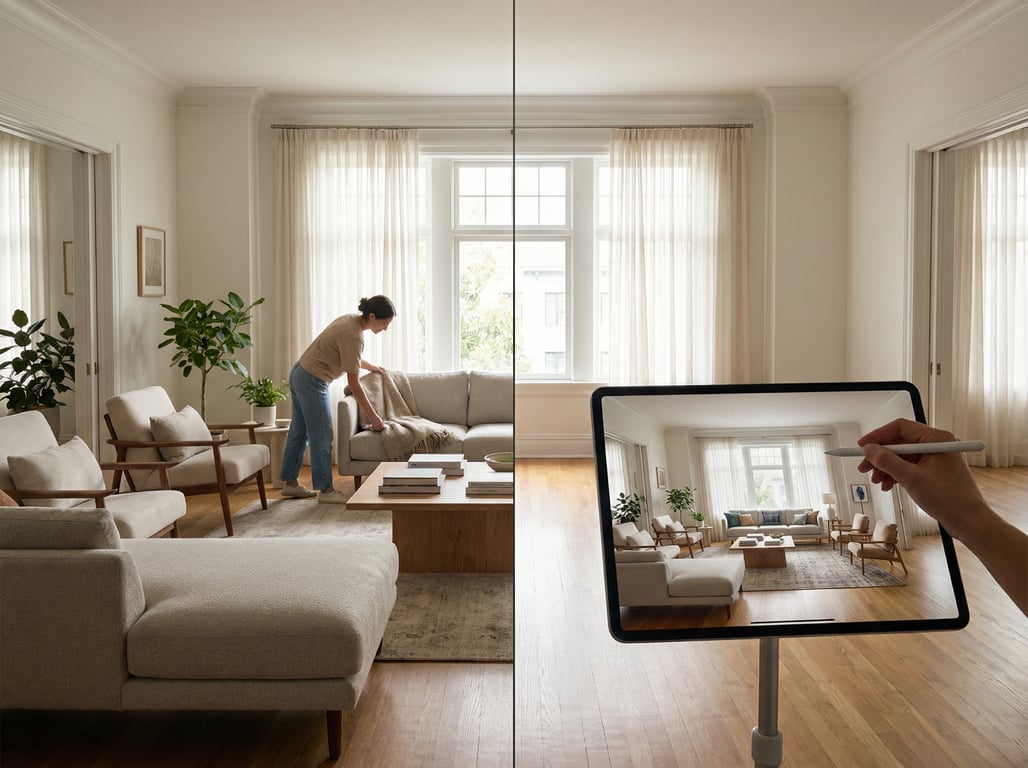
What virtual staging is (and what it is not)
Virtual staging (often searched as virtual home staging) means adding furniture, decor, and sometimes minor cosmetic elements to existing listing photos using editing/3D rendering.
It is:
- A marketing tool for MLS, Zillow/Redfin-style portals, social ads, and brochures
- A way to show room purpose (e.g., “this is a dining area,” “this nook fits a desk”)
- A method for testing multiple looks (modern vs. traditional) without moving furniture
It is not:
- A substitute for repairs, deep cleaning, or fixing bad photography
- A license to change permanent features (windows, ceiling height, fireplace location)
- “Anything goes” photo manipulation—most markets require clear disclosure when images are virtually altered
What physical staging is (occupied vs. vacant staging)
Physical staging (traditional staging) places real furniture and decor in the home.
Common approaches:
- Vacant staging: Furniture + accessories installed into an empty property.
- Occupied staging: Keeps some homeowner pieces, then adds/removes items to improve flow, scale, and buyer appeal.
Occupied staging often starts with decluttering, neutralizing, and small upgrades—then uses a lighter furniture/decor package to “finish” key rooms.
Cost comparison: what each typically costs (and what changes the price)
Costs vary by market and property size, but these are the most common pricing levers.
Pricing variables for virtual staging (rooms, revisions, style complexity)
Virtual staging is typically priced per photo/room. Prices change based on:
- Number of rooms/images: More angles per room increases editing time.
- Revisions: One style change is different than multiple rounds of swaps.
- Style complexity: Luxury looks (high-end materials, custom pieces) often cost more.
- Turnaround time: Rush delivery can increase price.
Practical budgeting tip: stage the photos that will be your “decision-makers” online—usually the primary bedroom, living room, and kitchen/dining context (when applicable).
Pricing variables for physical staging (rental period, furniture package, labor, storage)
Physical staging costs scale with logistics. Typical price drivers include:
- Package size: How many rooms and how full the install is.
- Rental period: Many stagers price in monthly increments; longer DOM can raise total cost.
- Labor + delivery: Stairs, elevators, distance, and install complexity matter.
- Storage: For vacant homes, storage/warehouse overhead is baked into many quotes.
- Risk management: Some contracts include insurance provisions or damage fees.
If you’re comparing quotes, ensure the scope is apples-to-apples (rooms staged, accessories, outdoor spaces, and rental length).
What "cheap" can cost you (quality + compliance)
With either method, “lowest price” can create expensive downstream problems:
- Virtual staging quality issues: floating furniture, wrong shadows, inconsistent perspective, or unrealistic scale—buyers notice quickly.
- Compliance risk: undisclosed edits can trigger MLS complaints, agent/broker policy issues, or buyer distrust.
- Physical staging shortcuts: worn furniture, poor styling, or incomplete rooms can make a home feel cheaper than it is.
If you use digitally altered listing images, keep a clear policy for labeling and keep original photos available when required.
Pros and cons for real estate listings
Virtual staging advantages (speed, variety, vacant listings, budget control)
Virtual staging works well when you need fast, flexible marketing:
- Speed: Great for quick launch timelines.
- Multiple audiences: Show different buyer lifestyles (e.g., young professional vs. family).
- Vacant listings: Helps empty rooms feel livable without moving anything.
- Budget control: Predictable per-room pricing without monthly rental exposure.
It’s also ideal when your marketing is driven by photos: MLS galleries, email blasts, and social ads.
Virtual staging drawbacks (accuracy expectations, disclosure, inconsistent lighting/perspective)
The biggest risk is a gap between the photo and the in-person experience:
- Accuracy expectations: If furniture suggests a layout that doesn’t work in reality, you’ll lose trust at the showing.
- Disclosure: Many MLS boards require labeling such as “virtually staged” or “digitally enhanced.” Use clear captions and follow local rules.
- Photo realism: If lighting and camera perspective don’t match the digital objects, the image can feel “fake.”
For more on compliant presentation, review guidance and examples of virtually staged photos and how they should be labeled.
Physical staging advantages (in-person showings, buyer emotion, tactile experience)
Physical staging shines when showings and open houses are central:
- Emotion and memory: Buyers remember how a home felt.
- Scale clarity: Properly sized furniture removes guesswork.
- Flow guidance: Staging can subtly guide traffic patterns and highlight best features.
For higher price points, physical staging can support a premium brand perception.
Physical staging drawbacks (time, logistics, damage risk, ongoing rental fees)
Trade-offs to plan for:
- Time: Scheduling, sourcing, and install can delay listing readiness.
- Logistics: Delivery access, stairs, and building rules can complicate installs.
- Damage risk: Scuffs and wear can happen; clarify responsibility in contracts.
- Ongoing costs: If the home sits, rental fees can accumulate.
When to choose virtual staging (best-fit scenarios)
Vacant homes with good photos but empty rooms
If the home is clean, bright, and photographed well but feels hollow online, virtual staging can fill the gap quickly. This is one of the strongest use cases for virtual home staging: you get “livability” without the moving truck.
Best practice: stage the hero images buyers use to decide whether to book a showing (main living area, primary bedroom, and one flexible space like an office).
Listings needing multiple target-buyer styles (modern, traditional, luxury)
A single vacant listing can be positioned for different segments:
- Modern minimal for condo buyers
- Warm traditional for family buyers
- Elevated luxury for executive relocation
Run style variants for ads or brochures while keeping MLS images consistent and properly disclosed.
Remote/fast-turn listings with tight timelines
If you’re selling from out of town, managing an estate sale, or listing on a compressed schedule, virtual staging can reduce coordination. You can often go from photos to market-ready images in days.
When to choose physical staging (best-fit scenarios)
High-end homes where in-person impact is critical
Luxury buyers expect an experience. Physical staging helps create a “premium” feeling that supports pricing—especially for properties where finishes, ceiling heights, and indoor-outdoor flow need to be felt.
If you’re considering vendors, this overview of working with home stagers for real estate agents can help you scope packages and timelines.
Homes with awkward layout/flow that needs physical guidance
When a layout is confusing (long narrow living room, split-level transitions, odd nooks), real furniture can show:
- Where the dining area truly fits
- How to float a sofa or define a conversation zone
- How wide walkways remain with furniture in place
Virtual images may help online, but physical placement often solves hesitation during showings.
Occupied homes where declutter + light staging works
If the seller is still living in the home, a full vacant staging install may not be practical. Instead:
- Declutter and depersonalize
- Improve lighting and remove visual noise
- Add a few key pieces (rugs, lamps, art) to elevate photos and showings
Use this practical prep guide to stage your house before photos and open houses.
Hybrid approach: combine both for maximum listing performance
Physically stage key rooms + virtually stage secondary rooms
A common hybrid strategy:
- Physically stage the rooms buyers experience most at showings (entry, main living area, primary suite)
- Virtually stage secondary spaces for the MLS gallery (guest room, loft, basement)
This keeps in-person expectations aligned while controlling costs.
Virtual renovation/decluttering first, then selective physical staging
Another smart workflow:
- Virtually declutter/neutralize photos (when allowed and disclosed)
- Use those images to test positioning and buyer response
- If traction is low, selectively stage in real life for the next marketing push
This reduces the chance of over-investing before you’ve validated the listing narrative.
Checklist: how to decide in 10 minutes
Budget
- If you need predictable, capped spend: lean virtual.
- If you can invest for showings and brand impact: consider physical or hybrid.
Timeline
- Launching in days: virtual.
- Willing to schedule install and prep: physical.
Listing condition
- Needs cleaning/repairs: do that first (staging won’t hide it).
- Already show-ready: either option can work.
Photo quality
- Strong natural light + good angles: virtual can perform very well.
- Dark, cluttered, distorted photos: fix photography and prep before staging.
Showing strategy (online-first vs. in-person-first)
- If your market shops online heavily: virtual is often enough to earn showings.
- If open houses/private tours drive offers: physical staging has more leverage.
Key takeaways
- Position as a decision guide rather than a generic "what is virtual staging" article to avoid cannibalization with existing /blog/virtual-home-staging and /blog/virtually-staged-photos-for-real-estate.
- Include a simple comparison table (time, cost drivers, best for, risks) aimed at agents and sellers.
- Add a compliance/disclosure section to build trust and reduce perceived risk.
- Use examples framed for real estate marketing (MLS photos, Zillow/Redfin, social ads) without forcing product usage.
FAQ
Is virtual staging the same as virtual home staging?
Yes. “Virtual staging” and “virtual home staging” are commonly used interchangeably to describe adding furniture and decor digitally to listing photos.
How much does virtual staging cost vs. physical staging?
Virtual staging is usually priced per room/photo and scales with revisions and style complexity. Physical staging typically includes delivery/install plus ongoing rental, so total cost depends on how many rooms are staged and how long the home is on market.
When should I not use virtual staging?
Avoid it when the photos are poor, the space is heavily cluttered, or when digital furniture would create unrealistic expectations about room size, features, or condition. Also avoid it if you can’t comply with required disclosure rules.
Do I have to disclose that photos are virtually staged?
Often, yes. Many MLS boards and brokerages require labeling images as virtually staged/digitally enhanced. Follow local MLS rules and add clear captions so buyers understand what’s been altered.
Does staging (virtual or physical) increase sale price?
Staging can improve perceived value and reduce time on market by helping buyers understand the space and envision living there. Results vary by price point, condition, and marketing quality, but better presentation often supports stronger offers.